|
| |
 |
|
| |
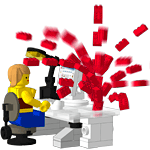
Use the LDraw All-In-One-Installer, in short AIOI, if you want a quick and easy way to install the LDraw Parts Library and many of the popular 3rd party tools as well. In this tutorial you'll get an overview on the differnent screens shown by the AIOI as well as some background information. |
|
|
|
 |
|
| |
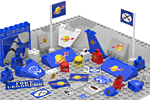
These are all official virtual elements which make part of the LDraw library. Missing some of them when browsing MLCad's parts library tree? Well, the official package and updates include only parts which had undergone a peer review and have been certified. As soon as I finish a so-called unofficial element I submit it to the LDraw Parts Tracker for certification. |
|
|
|
|
| |
 |
|
| |
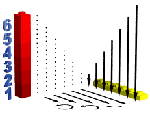
To show how parts fit into each other, building instruction often make usage of exploded views along with arrows or dotted lines. I call those "helper". You'll find the helper parts shown in the image as well as high quality 3D-numbers to label your instruction steps directly in a LDraw scene without the usage of photo editing or desktop publishing programs. |
|
|
|
 |
|
| |
LDraw.org accepts only virtual parts of official LEGO elements. In this category you'll find parts I created by myself or reengineered solely as mock-up. |
|
|
|
| |
 |
|
|
|
|
|
|
| |
 |
|
| |
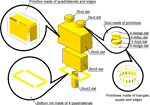
Many people build models virtually with editors like MLCad, Leo, SR 3D or Bricksmith but just a handful know how to create a part for these programs to use or what’s needed before a part can show up in the preview window of your preferred building editor. Get a crash course in LDraw part authoring and learn that you don’t have to be a math guru or hack your way through a jungle of ones or zeros. |
|
|
|
 |
|
| |
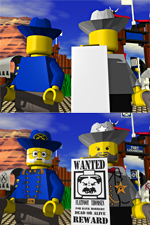
The “Standard Grin Pattern”, the “Classic Space Logo” - some patterns are as iconic as the brick shape itself. Having their digital counterparts also available in the LDraw system calls for special authoring techniques. Have an insight into how to author patterns for LDraw parts.
This article was published in BrickJournal, Issue 9, Volume 2 • Jan./Feb. 2010 |
|
|
|